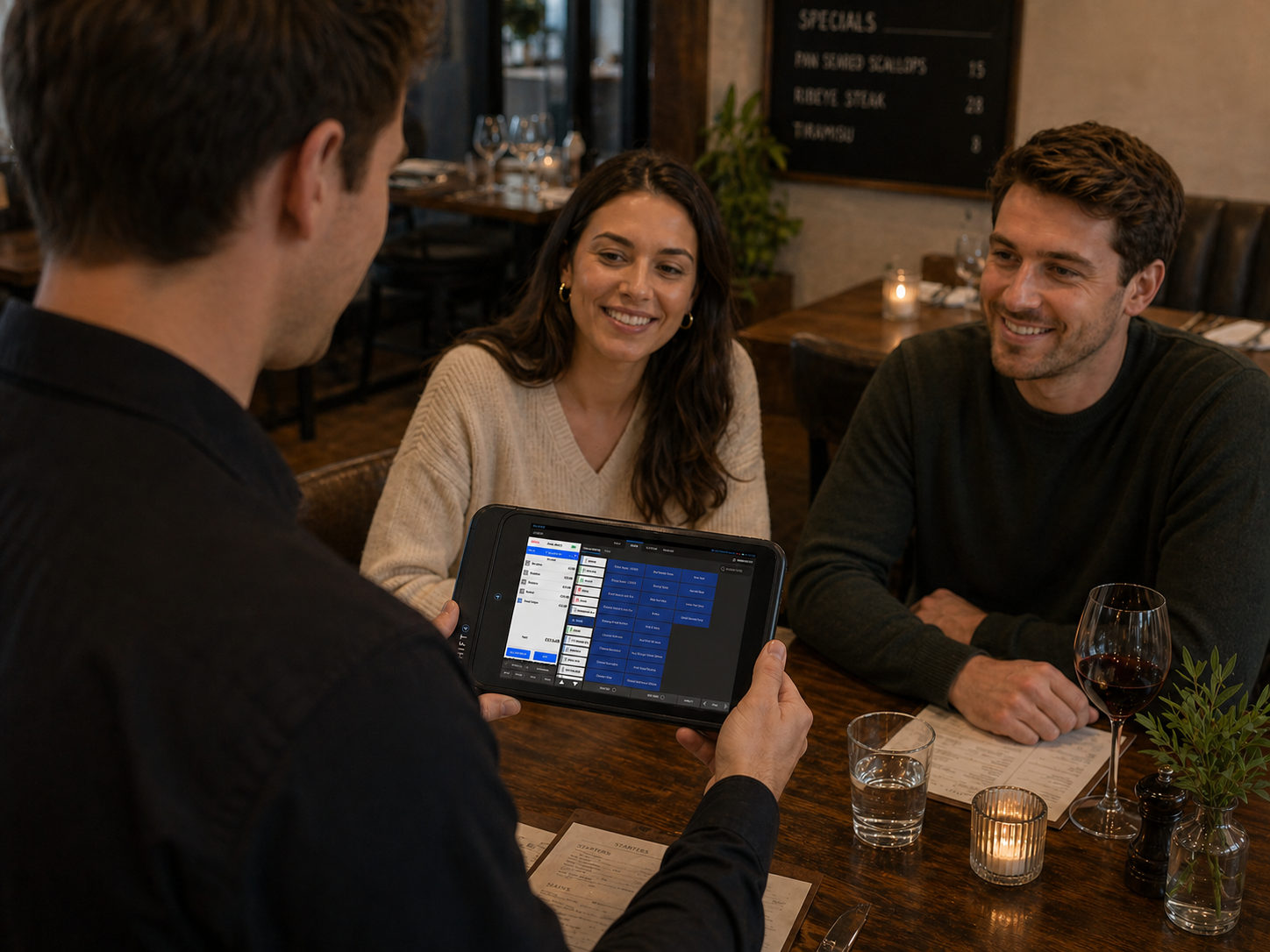
A customer orders another round of drinks. Your server writes it down, walks back to the till, waits for a colleague to finish and then enters the order.
Nothing unusual has happened. But the same small delay can repeat throughout the day, across every table and every member of the floor team.
Tablet ordering removes an unnecessary step. Staff enter the order where it happens, check it with the customer and send it through the EPOS workflow without returning to a fixed terminal.
For restaurants, cafés, pubs and hotels, that can mean fewer trips to the till, clearer communication and more time available for customers.
At ithPOS, we offer Shift4 Glass as part of our connected hospitality EPOS solution. Here is why tablet ordering deserves consideration, how competing mobile systems approach it and where Glass can make a practical difference.

Why use a tablet for ordering?
The strongest reason is to remove repeated work.
With a traditional approach, a server may take an order on paper, carry it to a till and then enter it again. Each handover adds time and creates another opportunity for a missed item or an incorrect selection.
With tablet ordering, the server enters the order directly into the system while speaking to the customer.
This does not remove the need for good staff or clear service procedures. It gives the people already working in your business a more direct way to do their job.
Spend less time walking and waiting
A shared till can become a bottleneck during service. One person is entering a large food order while another needs to add two coffees and a third wants to check a bill.
A tablet gives floor staff another place to work.
The benefit can be particularly noticeable in venues with terraces, beer gardens, separate dining rooms or long distances between tables and the main workstation.
Send orders sooner
An order cannot move through the kitchen workflow until it has been entered and sent.
Taking it directly on the tablet reduces the gap between the conversation at the table and the order reaching the appropriate preparation point.
Food and drink routing still needs to be configured correctly, but staff no longer need to make a separate journey simply to enter the order.
Reduce rekeying mistakes
Entering an order once removes a second transcription step.
Staff can review quantities, modifiers and special requests while the customer is still in front of them. That gives them an opportunity to clarify an instruction before sending it.
Allergy requests still require the venue’s established confirmation and communication procedures.

Stay available for the next request
A server who is waiting at a till is temporarily unavailable on the floor.
Keeping order entry close to the customer can make it easier to respond to another drinks order, explain a menu item or check whether a table needs anything else.
It also creates more opportunities to offer an appropriate extra, such as a side, dessert or second drink. That is an opportunity for better service and additional sales, rather than a guaranteed revenue increase.
A tablet should support hospitality and conversation
Introducing a tablet does not mean asking customers to do the work.
Staff-led tablet ordering keeps the server involved. They can answer questions, make recommendations and confirm the order while using the device as a service tool.
That matters for venues where personal service is part of the experience.
A well-configured menu also helps staff keep their attention on the guest. Common items should be easy to find, modifiers should be clear and the screen should suit the way your team takes orders.
The right test is practical: can a member of staff enter a typical order comfortably while continuing the conversation?
Why choose a tablet rather than a compact handheld?
Both formats can work well.
A compact handheld is useful when pocketability and carrying the device throughout a shift are priorities. A tablet gives staff more room to view menus, tickets and table layouts.
Neither format is automatically quicker for every task. Screen layout, menu configuration and staff preference all matter.
For a food-led pub, restaurant or hotel dining room, a tablet is worth considering when the team regularly works with:
- Larger menus and multiple categories.
- Orders containing several items and modifiers.
- Visual table plans.
- Open tickets and additional rounds.
- Guest entry and seating information.
Shift4 Glass is particularly relevant when you want the familiar Shift4 Dine EPOS interface available away from the workstation.

What do competing providers offer?
Mobile ordering is available from several established EPOS providers. The important comparison is how the device, software, payments and support fit your venue together.
The following overview is based on published product information, not independent hands-on testing. Some alternatives use compact handhelds rather than a tablet format.
Toast Go
Toast markets its Toast Go handheld in Ireland for tableside ordering and payments. Its published features include modifiers, bill splitting and communication between the floor and kitchen.
It is a credible option for restaurants considering the Toast platform and wanting a compact device for staff to carry.
The comparison with Glass is partly about working style: do your staff prefer a compact handheld, or a tablet interface for navigating menus and managing tickets?
Ask for a complete Irish quote covering the required devices, software, payments and onboarding, then test your own service tasks on both.
Square Handheld
Square offers a pocketable device in Ireland for ordering and payments, with additional retail-oriented tools such as a barcode scanner and stock-management functions.
It is worth considering for businesses already using Square or those wanting one platform across different selling environments.
For a hospitality venue, the useful comparison is the complete restaurant workflow. Check which plan and configuration cover your table service, kitchen routing and bill-management requirements.
Glass offers a different proposition: the Shift4 Dine tablet interface within an ithPOS hospitality setup. Compare that experience with Square using your menu and a realistic table order.
Epos Now
Epos Now serves both retail and hospitality and promotes a range of handheld systems alongside its wider EPOS offering. Its Irish website also highlights app integrations, reporting and support packages.
That flexibility may appeal to businesses with a mixture of requirements or a preference for its wider ecosystem.
For tableside ordering, ask Epos Now to demonstrate the specific handheld and software being quoted. Confirm the required licences, kitchen connections, payments and support arrangements.
The case for Glass is its role within a connected Shift4 Dine hospitality setup, with ithPOS helping you plan the local installation and service workflow.
How should merchants compare these options?
Ask each supplier to demonstrate the same tasks:
- Open a table and enter a typical food and drink order.
- Add modifiers and a special request.
- Send items to the correct kitchen or bar destination.
- Return to the ticket and add another round.
- Make an order correction.
- Show the available bill-splitting and payment workflow.
- Explain receipt routing, charging and support.
Then compare the complete cost over the same period.
A device purchase price, a monthly hardware charge and a full EPOS subscription are different things. Include software, extra devices, installation, support, payment processing and relevant contract terms before deciding which offers better value.
Why put Shift4 Glass on your shortlist?
Glass is a strong option for merchants who want a tablet working as part of their hospitality EPOS, with local help to put the setup into practice.
A familiar EPOS interface on the floor
Glass mirrors the Shift4 Dine EPOS interface. That gives teams a consistent way to work between the workstation and tablet.
For an existing Shift4 Dine venue, it is a practical route to extending mobile order entry without introducing another POS platform.
More of the service workflow within reach
The supplied examples show menu entry, open tickets, table layouts and host functions.
That is useful when the same team moves between taking orders, checking tables and managing arrivals during service.

A connected approach from ithPOS
ithPOS supplies hospitality EPOS and integrated payments, with local installation and support.
The value is in fitting the technology around the venue: the menu, service areas, kitchen communication and payment process should work together.
Clear starting pricing
ithPOS currently advertises Glass from €24 per month as an additional accessory.
The wider hospitality EPOS package starts from €39 per month with €0 upfront for qualifying businesses. These are separate starting prices, and Glass should not be assumed to be included in the base package.
Ask for a complete quote confirming eligibility, devices, payment charges, installation and applicable terms.
Where can tablet ordering make the biggest difference?
Restaurants
Enter orders while confirming them with the guest, return to tickets for additional courses and reduce queues at the main workstation. Explore restaurant EPOS from ithPOS.
Pubs with food service
Keep staff in the dining area while they take food and repeat drinks orders. This can be particularly useful when the bar till is already busy. Explore pub EPOS.
Cafés with table service
Support seated customers without repeatedly returning to the counter, especially where indoor and outdoor tables are spread out. Explore café EPOS.
Hotel dining rooms and lounges
Give staff mobile access across service areas where walking distances and the mix of guest requests can create repeated trips to fixed terminals. Explore hotel EPOS.
The strongest candidates are venues where you can already identify avoidable walking, delayed order entry or queues at shared tills.

Will tablet ordering save money?
It can improve productivity, but it is better to assess the actual workflow than rely on a headline saving.
For illustration, suppose a venue avoids 40 separate trips to the till during a shift. If each trip and associated wait averages 45 seconds, that is 30 minutes of staff time redirected to other tasks.
This is an example, not a measured Glass result. Your venue may save more, less or no time, depending on the layout and how staff use the system.
Time released does not automatically reduce payroll. Its value may be more attentive service, fewer orders waiting to be entered or better coverage during busy periods.
Start with one service area and measure:
- Trips back to the workstation.
- Time spent waiting to enter orders.
- Order corrections.
- Staff feedback.
- How easily the team manages repeat orders.
This gives you a more useful basis for deciding how many devices you need.
What needs to be in place?
Reliable Wi-Fi coverage is essential wherever staff will use the tablet.
Menus, modifiers and preparation routing should be set up clearly. Staff also need a routine for charging, storing and handing over devices.
A short training session should cover the tasks they will use most: selecting tables, entering orders, making changes, returning to tickets and handling the configured payment workflow.
For a small counter-only operation, a fixed workstation may already be sufficient. Tablet ordering delivers the clearest value when it removes a real obstacle in the way your team serves customers.
See what tablet ordering could change in your venue
If your staff spend too much time walking to the till, waiting to enter orders or repeating information, tablet ordering is worth a closer look.
Shift4 Glass brings the Shift4 Dine interface onto the floor, supported by ithPOS and configured around the way your venue operates.
Bring us a typical service scenario. We can show you how the order moves from the table through the system and discuss where Glass could reduce unnecessary steps.
Frequently asked questions
Do customers have to order themselves?
No. This article focuses on staff using a tablet to take orders. Your team remains involved in the conversation and service. Customer self-ordering is a separate approach.
Can I add Shift4 Glass to any EPOS system?
Do not assume that Glass works with every EPOS system. It is offered here as part of the Shift4 Dine solution from ithPOS. Contact us to check your current setup and the options available.
Can Glass be used outside?
It can support service in outdoor areas with suitable connectivity and operating conditions. Check Wi-Fi coverage and follow the device’s handling guidance; do not assume it is weatherproof.
Can staff take payments at the table?
ithPOS offers Glass for tableside ordering and payments. Confirm the supported payment hardware, configuration and receipt options for your installation.
Is a tablet better than a handheld?
A tablet offers more screen space; a compact handheld is easier to carry in a pocket. The better choice depends on your menu, service tasks and staff preferences. Try the same order on each format before deciding.
How much does Shift4 Glass cost?
Glass is advertised by ithPOS from €24 per month as an additional accessory. The main hospitality EPOS package is separate. Ask for a full quote covering your hardware, software, payments and applicable terms.
What is the best way to get started?
Book a demonstration using your own menu and a typical table-service order. Start by identifying the part of your venue where staff make the most trips to the till or wait longest to enter orders.
Sources and product information
- ithPOS hospitality EPOS and Shift4 Glass product information
- Toast Ireland handheld POS product information
- Square Handheld Ireland product information
- Epos Now Ireland product information
Smarter Payments, Better Service.
Published product information reviewed on 29 October 2026. Features, availability and prices may change. Confirm current specifications and complete commercial terms with each provider.